


In the present world everything has been going online including education, which is no different. Colleges and universities are trying very hard to provide customers with easier, more intelligent and convenient online solutions. Such initiative is the GU iCloud- a digital platform introduced by Gujarat University, the purpose of which is to revolutionize the manner in which students are able to access learning, results, examinations and academic information.
Being a student, parent or teacher, you can save time, paperwork anxiety, and stay on top of everything with the help of knowing what GU iCloud is and how to work with it. Therefore, whether you have heard much about it, yet what it is about remains a mystery, or whether you just want to make the most of digital services provided by your university, this guide is meant to help.
So perhaps we can go deep down into GU iCloud, and find out what it is, what it offers, how to use it, and why has it become a vital tool among students of Gujarat University.
Table of Contents
What Is GU iCloud?
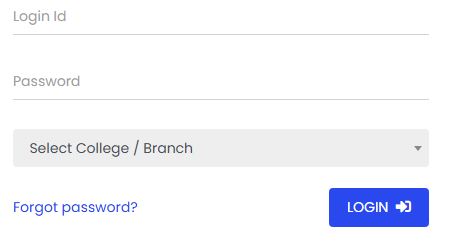
GU iCloud is an official online portal of Gujarat University which is aimed at providing easy ways of performing academic procedures to the students, teachers, and other administrative staff. Consider it as a digital dashboard hosted in the centre that hosts all the academic services, registrations, results, exam applications, mark sheets, hall tickets, and so on.
This platform was introduced in the process of digitalizing the university with the objective of reducing the amount of physical paperwork and introducing convenience to both students and employees.
This portal is open 24 hours all through and can be accessed via any internet enabled device. It is tailored to your usability depending on your login name and password, and also it is built in a manner that would accommodate various kinds of users amidst the predominant ones namely students and faculty members.
Why Was GU iCloud Created?
Before GU iCloud, a lot of university tasks involved standing in long queues, submitting forms physically, and waiting weeks for updates. It was not only inefficient but also frustrating for both students and administrative departments.
The purpose behind GU iCloud was simple:
To offer a fast, transparent, and centralized platform for academic services.
Now, whether you’re looking to download a hall ticket, check your internal assessment marks, apply for an exam, or view your results—you can do all of this from your phone or laptop.
Key Features of GU iCloud
GU iCloud isn’t just a portal; it’s a fully integrated academic ecosystem. Here are some of the features that make it so useful for Gujarat University students:
1. Student Profile Dashboard
Once you log in, you get access to a personalized dashboard that shows your academic details—such as course name, college, enrollment number, and more. This profile is your academic identity within the university system.
2. Online Exam Form Submission
Gone are the days of collecting physical forms. With GU iCloud, you can fill and submit your semester exam form online. You can also pay your fees directly through the portal, which saves time and energy.
3. Hall Ticket & Admit Card Download
Need your hall ticket for your upcoming semester exam? Simply log in and download it from your dashboard. You can either print it or save it digitally for quick access on exam day.
4. Result Checking
After every semester, your results are published directly on GU iCloud. You don’t need to visit your college or check notice boards anymore. All marks—internal and external—are available in one place.
5. Marksheet Download
Want to download your marksheet for job applications or personal records? GU iCloud offers e-marksheets that can be downloaded and printed from the portal.
6. Assignment Submission & Internal Evaluation
Many colleges under Gujarat University use the iCloud platform to assign digital homework or upload internal assessment marks. Students can view their submissions and teacher feedback directly online.
7. Academic Calendar and Circulars
Important academic notices, such as exam schedules, holidays, and result dates, are published regularly. The portal acts as the official communication channel between the university and students.
How to Register or Log in to GU iCloud
Logging into GU iCloud is easy once you understand the process. Here’s how you can get started:
For First-Time Users:
- Visit the official website: https://student.gujaratuniversity.ac.in
- Click on the “New Registration” or “Student Registration” link.
- Fill in the required details:
- Enrollment number
- Date of birth
- Course and semester details
- Create a password and set your mobile number/email for verification.
After completing the form, you’ll receive a verification OTP. Once verified, your GU iCloud account is ready.
For Returning Users:
- Visit the same site.
- Enter your username (usually your enrollment number) and your password.
- Click on “Login” and access your personalized dashboard.
If you forget your password, there’s an easy “Forgot Password” option that helps you reset it via your registered email or mobile number.
Who Can Use GU iCloud?
Primarily, students enrolled in Gujarat University-affiliated colleges use the portal. However, faculty members and administrative staff also have access to specialized versions of GU iCloud.
- Students can check their academic records, exam forms, and results.
- Teachers can update internal assessment marks, upload assignments, and communicate with students.
- College Admins can manage student data, attendance, exam reports, and notices.
Each user type gets a customized view of the platform based on their login credentials.
Common Tasks You Can Do on GU iCloud
Students can use GU iCloud for a wide range of academic functions:
- Fill and submit exam forms online
- Pay exam and revaluation fees digitally
- Check internal and external exam marks
- Download admit cards and marksheets
- Apply for reassessment or verification
- Update contact information
- View university notices and circulars
- Receive alerts about results or exam dates
All of these features are neatly organized on the dashboard, so you won’t have to dig around to find what you need.
GU iCloud: Benefits for Students
The portal has revolutionized how students interact with their academic journey. Here are some key benefits:
1. Time-Saving
No more long queues, travel to university counters, or unnecessary paperwork. GU iCloud automates everything.
2. Transparency
Students can view their marks and exam data directly—eliminating confusion or miscommunication.
3. Anytime Access
Need to download your result at midnight for a job application? No problem. GU iCloud is accessible 24/7.
4. Error-Free Communication
All important notices come directly from the university, cutting down misinformation spread via unofficial sources.
5. Environment-Friendly
By digitizing forms and reports, the portal helps reduce paper waste significantly.
GU iCloud and Exam Time: What to Know
During exam periods, the portal becomes especially important. Here’s what students typically do through GU iCloud before exams:
- Submit their exam forms (with or without late fees)
- Download hall tickets at least 3–5 days before the exam
- Check internal marks to ensure eligibility
- Track subject-wise exam dates
- Re-check any errors in subject codes or personal details
Always make sure to double-check your details before submitting your exam form or downloading admit cards. If you notice an error, contact your college immediately.
What If You Face a Problem with GU iCloud?
Like any digital platform, GU iCloud isn’t immune to technical glitches. Common issues include:
- Login errors due to incorrect credentials
- OTP delays during registration
- Errors in uploaded marks or incorrect subject data
- Payment failure during exam form submission
- Difficulty accessing the site during peak times
If you face any such problem, try the following steps:
- Clear browser cache and try again.
- Switch to a different browser (Chrome or Firefox works best).
- Try during off-peak hours—evenings and early mornings are faster.
- Contact your college admin for issues with marks, registration, or eligibility.
- Reach out to the university’s IT support, usually available on the GU website.
There’s also often a student helpdesk available during exams, either online or via your college.
Future of GU iCloud
Gujarat University has shown a strong commitment to continuing its digital transformation. With GU iCloud already covering so many aspects of student life, here’s what the future might bring:
- Mobile app version of GU iCloud
- Real-time chat support for student queries
- Integration with national-level services like Digilocker
- Digital transcripts and degree certificates
- AI-based student progress tracking and career support
In short, the platform is evolving. As digital education becomes the norm, tools like GU iCloud will continue to improve and shape how students manage their academics.
Final Thoughts
GU iCloud is more than just a university website—it’s a portal that’s helping thousands of Gujarat University students take control of their academic lives. It puts everything in one place: results, exam forms, hall tickets, internal marks, academic calendars, and more.
If you’re a student, learning to navigate and use GU iCloud can save you hours, reduce stress, and keep you informed and organized. And if you’re a parent or teacher, understanding the platform helps you better support students through their academic journey.
So the next time you ask yourself how to check your marks, download your admit card, or submit an assignment—remember, the answer is just a few clicks away on GU iCloud.
Check our website for more info.
